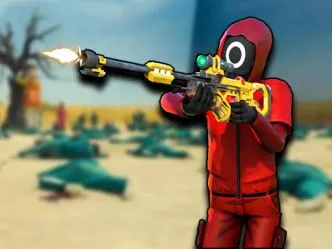
Crossfire Legends

Crossfire Legends

Watch an ad to play this game.

Crossfire Legends

Crossfire Legends Unblocked

Rate it
Players Single player
Devices Desktop
Controls WASD, Mouse, Spacebar
Added Nov 2026
Crossfire Legends - Unblocked Browser Game

Crossfire Legends Unblocked

This game is built for a computer. It needs a keyboard or mouse, so it plays best on a desktop, laptop or school Chromebook. Browse games that work on your phone →

Be the first to rate

Play These on Your Phone

All mobile games →

Trending Unblocked Games

How to Play Crossfire Legends

Select a fighter, settle on a weapon and jump into whichever mode suits you today. Crossfire Legends unblocked builds a competitive first-person shooter around team tactics, so you are rarely fighting alone: allies move with you, and every elimination can tilt the result one way or the other.

The mode list is the main draw. Competitive team battles sit next to a zombie survival mode, specialized sniper combat and encounters between small teams, so one session can move from a full team fight to a sniper match. On a computer you move with W A S D, fire with the left mouse button, jump with Space, quick switch with Q, drop your weapon with G and reload with R. The listing does not name the maps or say how many weapons there are.

Oxy Arena, another first-person shooter here, matches you against players from around the world in Deathmatch or four-against-four Team Deathmatch, with a separate Backrooms: Zombies mode where you face five waves alone. Crossfire Legends lets you choose your fighter and puts dedicated sniper combat plus small team encounters next to its team battles and zombie survival. FPS Block Strike Dust2 and SWAT Ops Bodycamera are more team shooters on the site.

Crossfire Legends Controls

  • WASD
  • Mouse
  • Spacebar
  • W A S D - Move
  • Left Mouse Button - Fire
  • Space - Jump
  • Q - Quick switch
  • G - Drop weapon
  • R - Reload

Crossfire Legends Tips & Tricks

  • Take a long-range weapon into sniper combat and a closer-range one into small-team fights.
  • Reload with R before you turn a corner, not in the middle of a firefight.
  • Keep a backup weapon ready for a quick switch with Q.
  • Move as a group with your allies in team battles instead of running off alone.
  • Use Space to jump only when it helps, since a jump can throw off your aim.

Is Crossfire Legends Unblocked at School?

Yes. Crossfire Legends runs entirely inside your browser tab as an HTML5 game, so there is nothing to download, install or unzip and no plugin such as Flash or Java is required. That matters on a school or office network, because the filters used on those networks usually block installers and app stores rather than ordinary web pages. It is built for a desktop or laptop browser, so a school Chromebook or library PC is the right device for it rather than a phone. If the page loads for you, the game will run.

Crossfire Legends FAQ

Is there a sniper mode in Crossfire Legends?

Yes. Crossfire Legends lists specialized sniper combat among its modes, next to team battles, zombie survival and small-team encounters. The description does not explain the sniper rules, such as team sizes or which rifles are available.

Does Crossfire Legends have zombies?

Crossfire Legends includes a zombie survival mode alongside its team battles. The description does not say whether you face waves of zombies, how long a round lasts or whether allies fight next to you.

What are small-team encounters in Crossfire Legends?

Small-team encounters are one of the four mode types in Crossfire Legends. The name points to fights between smaller groups than the full team battles, but the description gives no team sizes or rules for them.

Why does weapon choice matter in Crossfire Legends?

Crossfire Legends tells you to pick the right weapon before a match, and with modes as different as sniper combat and zombie survival, one loadout will not fit every fight. The description does not list the weapons themselves.

Is Crossfire Legends made by Smilegate?

No connection is stated. Smilegate created the CrossFire series, which began on Windows PCs in May 2007 and later moved to consoles, VR and phones. Crossfire Legends is a separate browser FPS from another developer that uses a similar name.

How is Crossfire Legends different from Oxy Arena?

Oxy Arena puts you in online Deathmatch or four-against-four Team Deathmatch, plus a solo Backrooms: Zombies mode with five waves. Crossfire Legends lets you choose a fighter and adds sniper combat plus small team encounters to its team battles and zombie survival.

Is Crossfire Legends free to play?

Yes. Crossfire Legends is completely free on Masked Games. There is no account to create, no trial period and no payment step — open the page, press play and the game starts.

Do I need to download anything to play Crossfire Legends?

No. Crossfire Legends is an HTML5 browser game, which means it loads and runs on this page itself. Nothing is installed on your computer and nothing is left behind when you close the tab.

Can I play Crossfire Legends on a phone or tablet?

Crossfire Legends is designed for a desktop or laptop browser and expects a keyboard or mouse, so it is best played on a computer rather than a phone.

What are the controls for Crossfire Legends?

Crossfire Legends is played with wasd, mouse, spacebar. W A S D - Move Left Mouse Button - Fire Space - Jump Q - Quick switch G - Drop weapon R - Reload

Is Crossfire Legends a two player game?

Crossfire Legends is a single player game. If you are looking for something to play with a friend on one keyboard, browse the two player games collection.

Games Like Crossfire Legends

If you enjoyed Crossfire Legends, these unblocked games are the closest matches in Shooting games: Crazy GTA Mercenary Driver, Ultimate Strike, Squid Game Sniper, Impostor Killer Among us, Ninja Clash Heroes, Cyber Racer Battles. For more, see all Unblocked Shooting Games. Related collections: 3D, Action, Unblocked.